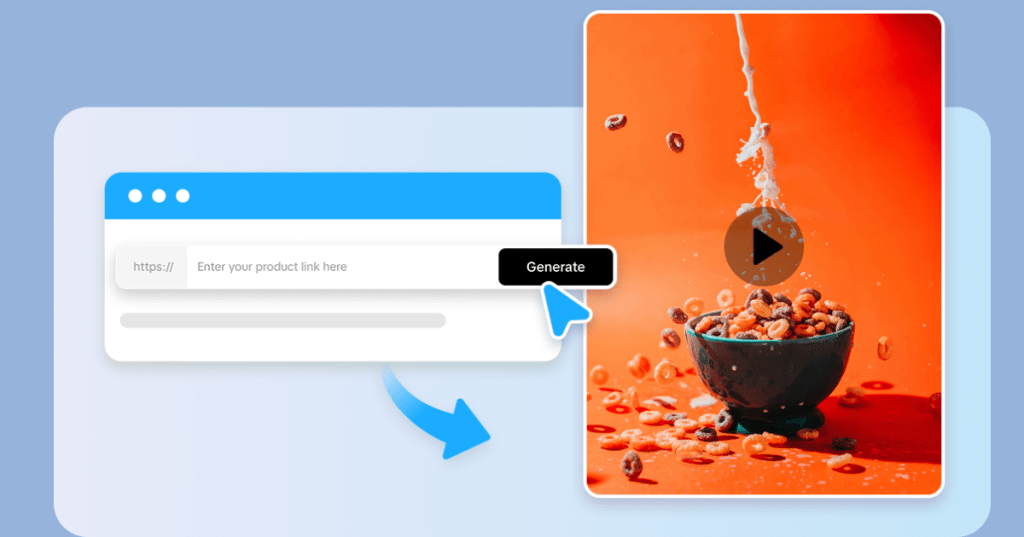
In the evolving landscape of digital marketing, user-generated content (UGC) has proven to be one of the most authentic and effective ways to build trust and engagement around products. With the rise of AI URL to video tools, marketers can now generate personalized UGC videos directly from product URLs, drastically speeding up content creation while maintaining the authenticity that resonates with audiences. This article explores how to create AI UGC videos from a product URL, outlining the benefits, tools, and a step-by-step workflow to maximize impact on platforms like TikTok, Instagram, and beyond.
What Are AI-Generated UGC Videos?
User-generated content typically refers to videos or images created by real customers or users showcasing a product in an authentic context. AI-generated UGC videos use artificial intelligence to automate this process by creating realistic videos that emulate genuine customer testimonials or product demonstrations. By inputting product details, often through a simple product URL, AI UGC video tools synthesize video content that captures the vibe and trustworthiness of traditional UGC.
Unlike manually produced videos, AI-generated UGC videos enable marketers to scale content production quickly, tailoring videos to different audience segments, platforms, or marketing campaigns without the overhead of filming multiple videos.
Why Generate AI UGC Videos from Product URLs?
Creating AI UGC videos directly from product URLs offers several advantages:
- Speed and scalability: Quickly generate multiple video variations for different markets or campaigns.
- Cost-effectiveness: Reduce expenses on video shoots, actors, and production teams.
- Consistency: Maintain brand messaging and product highlights without compromising authenticity.
- Personalization: Tailor videos dynamically to viewer demographics or preferences.
- SEO and social proof: Enhance product pages with engaging UGC-style content driving conversions.
Preparing to Create AI UGC Videos from Product URLs
Before diving into video generation, ensure you have the following ready:
- Accurate product URL: This URL should lead to a product page containing rich information, images, descriptions, specs, and possibly customer reviews.
- Access to AI video platforms: Use AI tools with UGC video generation capabilities like Tagshop AI, Synthesia, InVideo, or specialized software focused on e-commerce content.
- Video style and script framework: Define the narrative style (testimonial, demonstration, unboxing) and key script points to be highlighted.
- Brand guidelines: Prepare logos, color schemes, fonts, and tone of voice references for consistent branding.
Step-by-Step Guide to Creating AI UGC Videos from Product URLs
1. Choose the Right AI Video Tool
Select an URL to video generator that supports the capability to extract content from product URLs or allows easy input of product data. Examples include:
- Tagshop AI: Tagshop is an URL to video generator, known for direct product URL import with automated UGC video template creation.
- Synthesia: Uses AI avatars and voice-overs to create realistic presenter-driven videos from scripts.
- InVideo: Allows product information input and fast video assembly with templates designed around product promotion.
Evaluate tools based on ease of use, customization options, and output formats suitable for social platforms.
2. Import Product Information via URL
Once the tool is ready, input the product URL. The AI system dynamically scrapes the product page content such as:
- Product images and videos
- Description snippets
- Key features and specifications
- Customer reviews and star ratings (if available)
This automation eliminates manual data entry and ensures the video content is accurate and up-to-date.
3. Customize Video Templates and Design
The AI will usually suggest pre-designed UGC-style templates optimized for social media, often with layouts mimicking customer selfie videos or informal testimonials.
Personalize the template to fit your brand by:
- Adding brand logo and colors
- Selecting AI avatars or spokespersons, if applicable
- Choosing background music or voice tones consistent with brand voice
- Adjusting text overlays highlighting product benefits
Some AI platforms let you select different UGC formats like ‘unboxing,’ ‘review,’ or ‘demo’ styles.
4. Refine the Script and Dialogue
Even though the AI can automatically generate scripts based on product specs and reviews, tweaking the script is crucial for authenticity.
- Use natural, conversational language as if a real customer is speaking.
- Highlight unique selling points with relatable expressions.
- Insert phrases that invoke emotional responses or benefits rather than just technical specs.
- Adjust video length according to platform requirements (for example, 15-30 seconds for TikTok).
Some AI tools support text-to-speech voices with emotion modulation or allow you to record your own voiceover for added personal touch.
5. Preview and Edit the AI UGC Video
Review the initial output carefully:
- Check naturalness of AI-generated speech or avatars’ expressions.
- Ensure product images and features are showcased clearly.
- Confirm the overall tone matches your campaign goals.
Make any necessary adjustments to visuals, pacing, or narration to avoid feeling too scripted or robotic.
6. Generate Multiple Variations
One core benefit of AI video tools is the ability to produce multiple unique video versions by altering:
- Scripts or voice styles
- Visual elements and backgrounds
- Avatars or presenters
- Language or regional nuances
Creating these variations allows A/B testing to find the best performing UGC video for your target audience and platform.
7. Export and Distribute
Once final edits are approved, export the videos in the right format for your marketing channels:
- Vertical videos (9:16) for TikTok, Instagram Reels, Stories
- Square (1:1) or horizontal videos for Facebook and YouTube
- Optimized file sizes for fast loading on e-commerce sites
Integrate these AI UGC videos into product pages, social ads, email campaigns, or dynamic retargeting assets.
Best Practices for AI-Generated UGC Videos
- Authenticity is key: Even AI-generated content must feel genuine and relatable. Avoid overly polished or corporate tones.
- Leverage real customer data: Incorporate actual review excerpts or testimonials for credibility.
- Use calls to action: Prompt viewers to take the next step, whether to shop, learn more, or engage.
- Optimize for mobile: Most social users watch videos on mobile devices, so ensure legibility and pacing suit small screens.
- Monitor performance: Track engagement metrics and conversions to refine future AI UGC video production.
Future Trends: Hyper-Personalized AI UGC Videos
Looking ahead, AI technology will enable hyper-personalized UGC videos tailored to individual user preferences, browsing behavior, and purchase history in real-time. This will further enhance the effectiveness of video ads, foster deeper brand connections, and drive higher conversion rates.
Conclusion
Creating AI-generated UGC videos from product URLs bridges the gap between authenticity and scalability in digital marketing. With the right tools and strategies, brands can transform raw product data into compelling, trust-building video content that engages audiences on social platforms and e-commerce sites. Embracing this technology lets marketers keep pace with rapidly changing consumer content consumption habits while maintaining persuasive storytelling power.
If you’re ready to boost your product marketing with AI-generated UGC videos, start by exploring platforms like Tagshop AI or Synthesia and experiment with product URL-driven video creation. The future of content marketing is authentic, fast, and powered by AI.
 AI Ads
Leave a comment